Meet WorkSight
The future of tattoo design and placement.
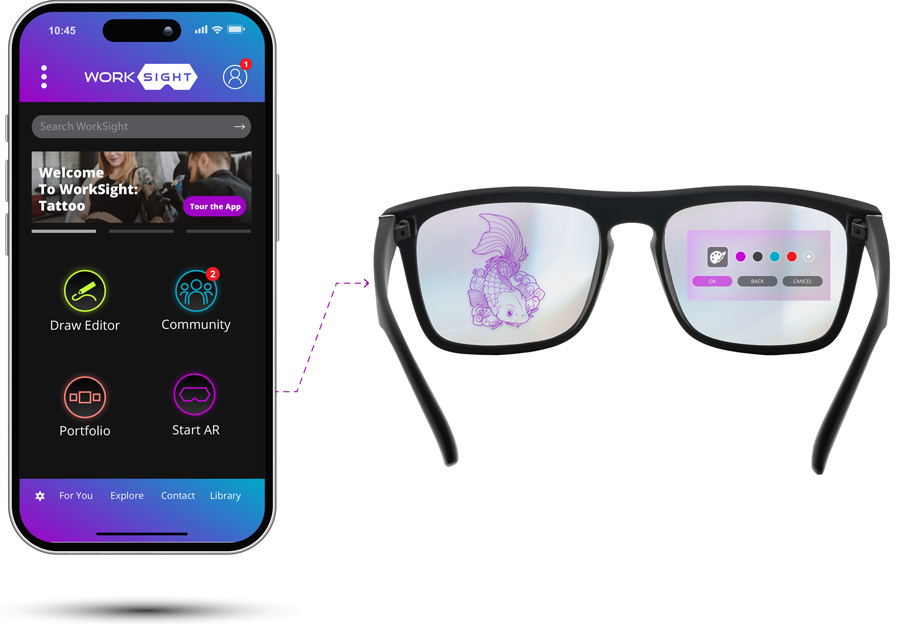
WorkSight is an Augmented Reality-powered system transforming how artists design, position and apply tattoos. WorkSight syncs with AR smart glasses to project tattoo designs directly onto the client’s skin, allowing artist to size, place and adjust artwork in real time with no physical stencils required.
The platform also records and live-streams sessions for training, education and portfolio building, helping artist grow their community and elevate their brands. WorkSight brings precision, creativity and efficiency to every tattoo.
PROBLEM:
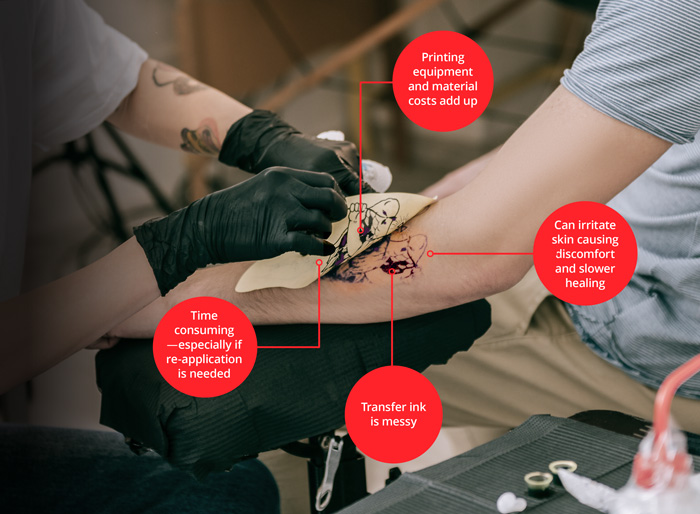
The current standard process requires printing and applying a physical stencil before tattooing.
This method is:
- Time consuming especially when designs must be re-applied.
- Messy using tattoo design transfer ink that smudge or wipe off.
- Costly as specialty transfer equipment and materials add up.
- Uncomfortable for clients, sometimes irritating the skin when stencils must be moved or adjusted.
- Tattoo transfer application products can cause discomfort and irritations.
- Inconsistent affecting placement accuracy and overall tattoo quality.
THE SOLUTION:
WorkSight replaces traditional stencils with augmented reality projection, allowing artists to place, size and adjust designs directly on the client’s skin.
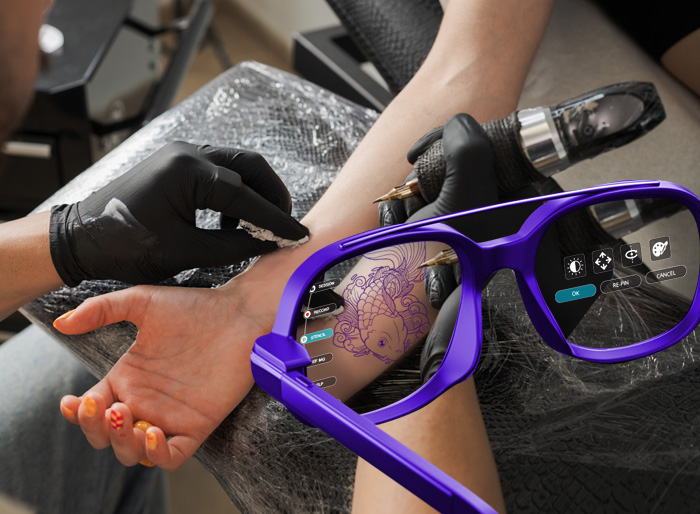
- Faster Setup. Eliminates long stencil prep. Artists design digitally, tap once and project instantly onto the client’s skin. No printing, trimming, applying, removing or re-doing stencils.
- Zero Material Waste. No paper, transfer sheets, or disposable products. Cleaner station and lower costs.
- Saves Significant Time. Artists regain hours by removing the slowest part of the workflow. Artists can spend more time tattooing with less prepping.
- Seamless Artist Workflow. Use your current drawing programs (Procreate, Adobe, etc) to create your artwork and then simply import to WorkSight
for instant projections. No learning curve. - Higher precision & Client Confidence.
Clients see on the screen the exact scale, placement and orientation on their own body before the ink
ever touches the skin which can reduce redraws, improving satisfaction and creating a more
personal interactive client experience.
How It Works
STEP 1: Create or Import the Artwork
Create your artwork using any drawing platform then simply import it into WorkSight or use WorkSight built-in drawing tool.
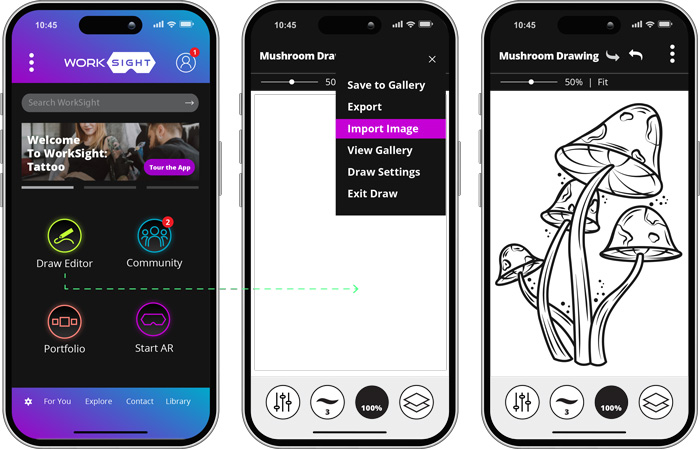
Create artwork from scratch or import a previously created image into the WorkSight draw/editor.
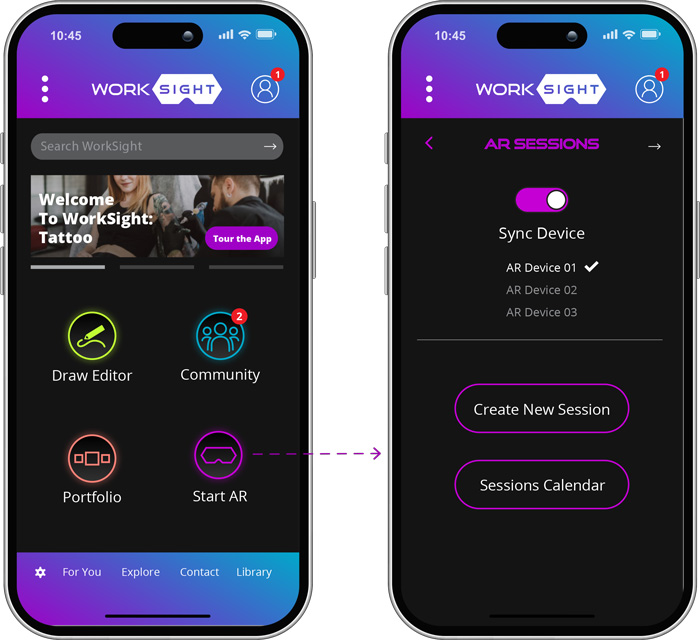
STEP 2: Sync AR Device
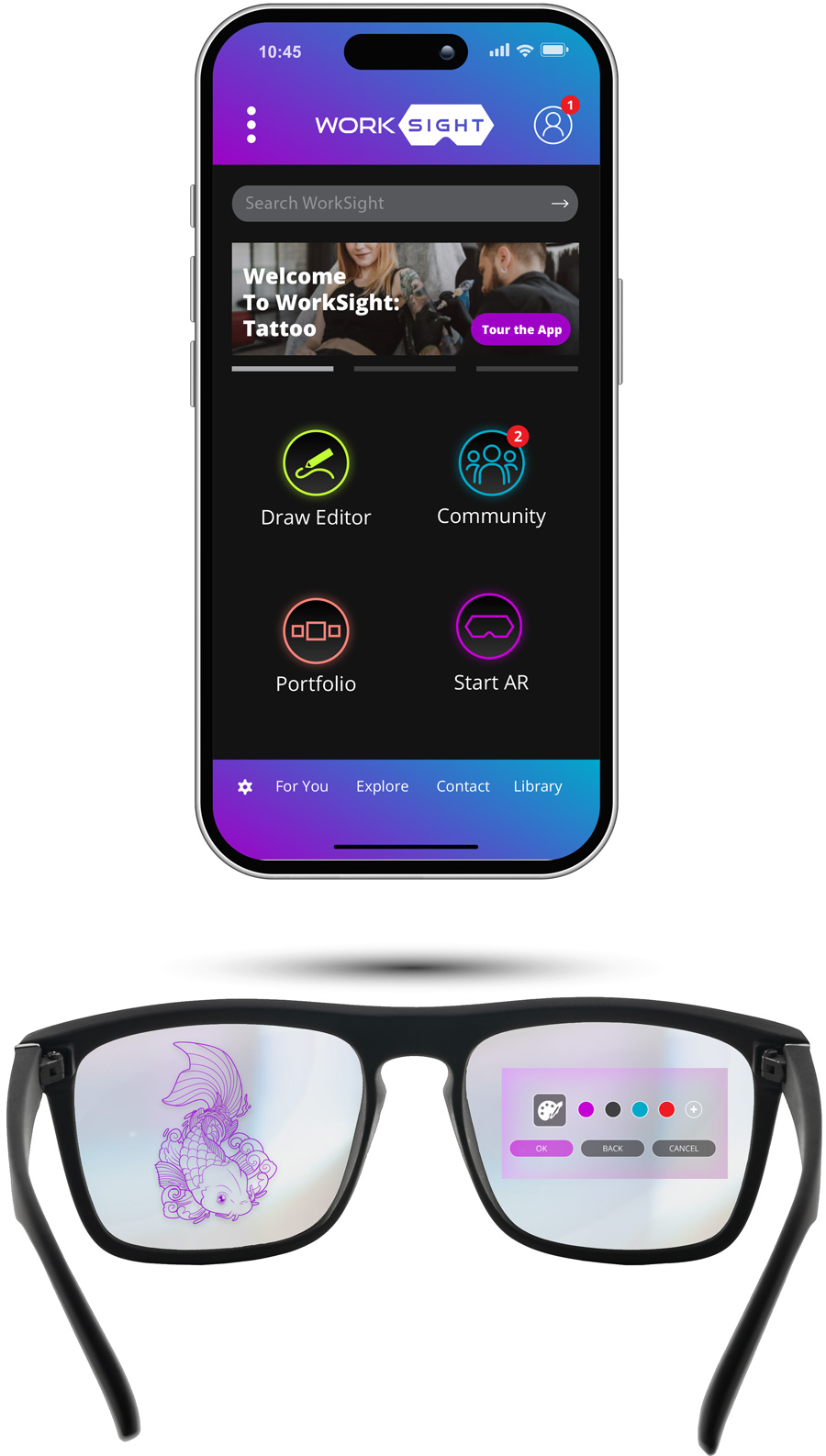
When your artwork is ready, “Start AR” to sync WorkSight with your AR glasses of choice.
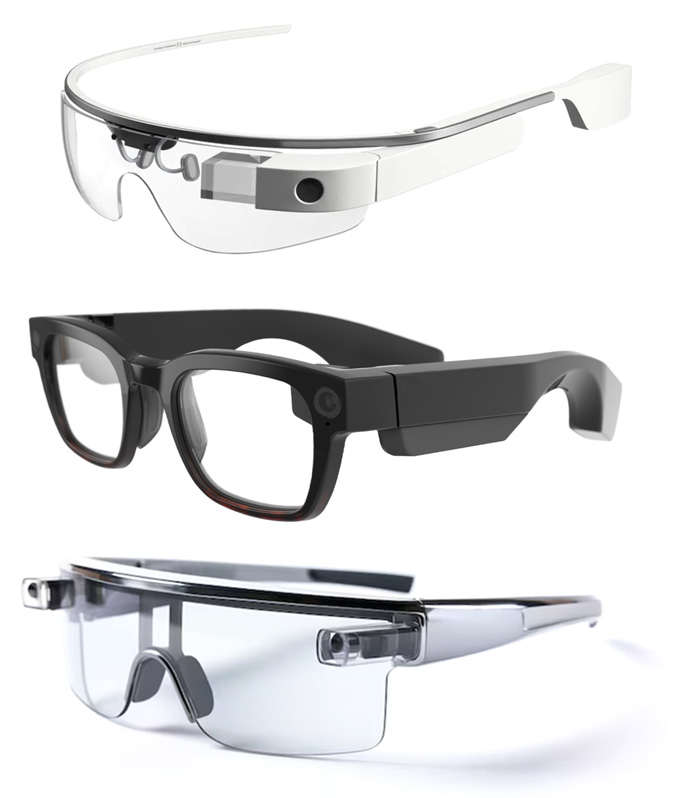
WorkSight is designed to be compatible with any current or future AR glasses brand and model:
STEP 3: Choose How to Run Your Session
Create a closed session just for you to work, or live stream for online viewers to watch. You can also record sessions for later editing and sharing.
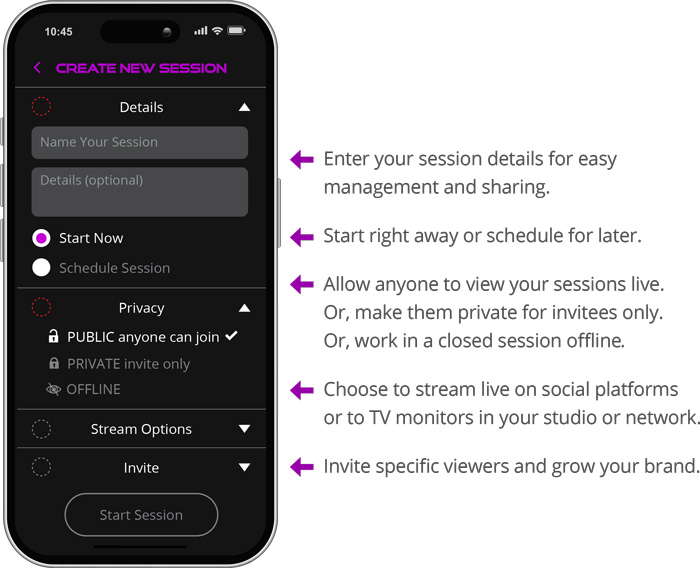
Tools Are Now Augmented in Your Sight!
AR Glasses View
After selecting “Start Session” in the app, the session can now be piloted through your AR glasses controls.
Depending on the glasses model and settings; hand gesture, voice command, or touch control can be used to pilot the AR session.
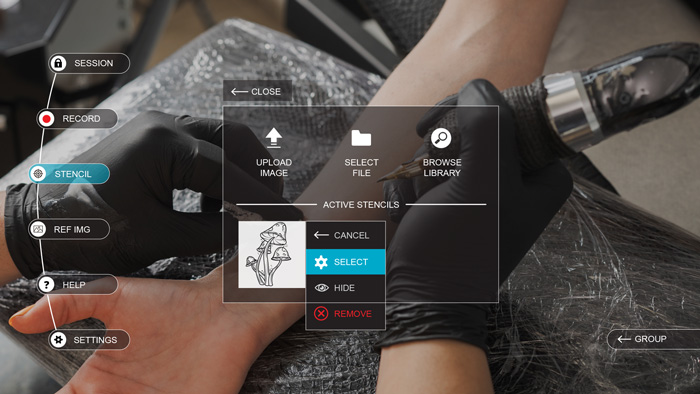
Example of how the augmented tools interface look through the AR glasses.
STEP 4: Pin Your Artwork to an Object in Your Work Space
Select the area (on the body) to pin the virtual stencil. The augmented tracking technology will pin the virtual stencil in-place so you can tattoo over it in real time. The virtual stencil will stay in-place “tracked” to the body even if the body moves—for precise tattoo execution!
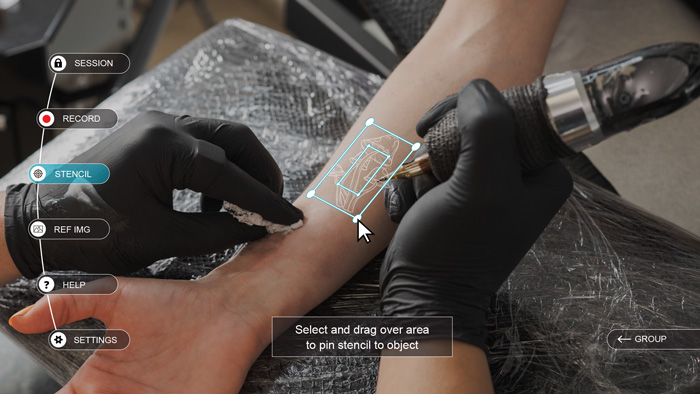
Select the pin location and track to object. Pin multiple images if needed!
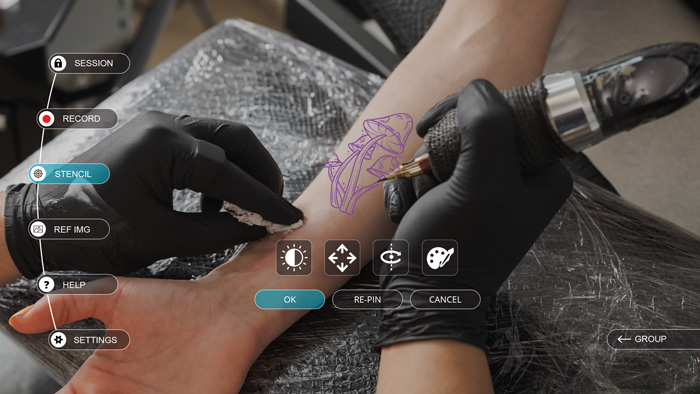
Once pinned, the virtual stencil can be adjusted
in color, opacity, size, or XYZ position.
Other Features
Several other tools and features can be utilized during an augmented session.
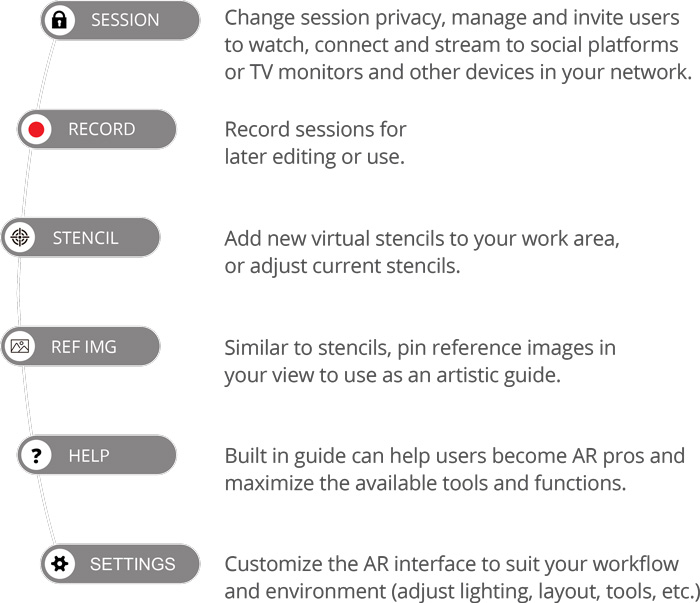
The Tools panel can be selected anytime during the session to access these features:
Community
Grow Your Artistry and Brand
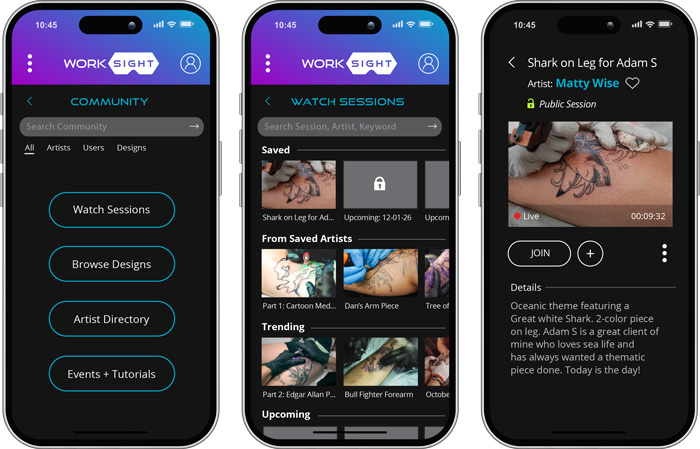
WorkSight is like your very own live streaming platform for your industry.
When a session is set to public, viewers can join your live session for training, educational, or entertainment value.
Invite viewers, or users can find sessions by topic or artist search.
Recorded sessions can also be uploaded to the WorkSight video library and your personal portfolio profile to grow your brand.
Learn and Teach
The community is also a place where artists can share or commission techniques, tutorials, and artwork to foster growth within the industry.
Not Just Tattoo, Any Industry
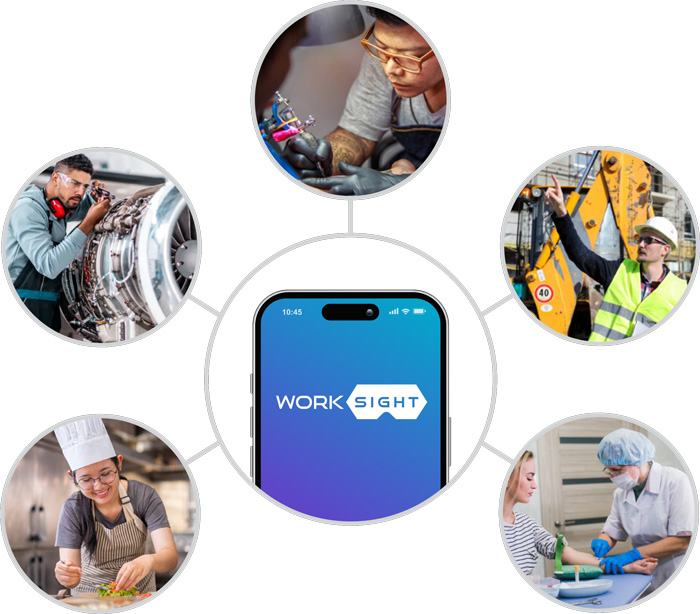
WorkSight is a great application for the tattoo trade but the app can branch into any specific industry.
Especially those that require craftsmanship, training, quality assurance, on-site visual communication, and potential emergencies services—all complemented with referential augmentation.
- Construction
- Landscaping
- Healthcare
- Culinary
- Mechanic
- Law Enforcement
- Military/Government
- and more—could all benefit from WorkSight implementation.
Big Picture
As AR technology grows, the WorkSight brand can launch industry specific subsidiary-apps to cater to each trade’s toolset and community needs.
Key Features
- Sync app with AR (smart) glasses to augment images and tools over your work area to assist with tasks and projects.
- Augment tattoo stencils directly over skin using AR tracking technology—avoiding the mess, irritation, and added material costs.
- Designed to be compatible with any current or future AR glasses brands and models.
- Work in a closed session, private access session, record, or live stream publicly.
- Communicate with viewers in real time.
- Expand your brand and collaborate with other artists by teaching, offering classes, and tutorials.
- Create additional revenue opportunities. Artists can sell projection template packs through the platform.
- Every project is accurate and repeatable making it easy for artists to collaborate, share designs or connect with friends.
- Increase your revenue with a faster, more efficient workflow that allows for additional appointments each day. No need to block extra time for stencil adjustments or reapplications.
- WorkSight tools and technology can benefit all industries—not just the tattoo artistry.
Video Example
This animated example demonstrates how the app can be utilized and how the augmented virtual stencil may appear through the AR glasses.